Introduction#
An NPS (Network Power Switch) is a device that can control multiple power switches through a network. By connecting the power of the LVM-I Spectroograph Box and subsystem through this device, the power of each device can be controlled through the network.
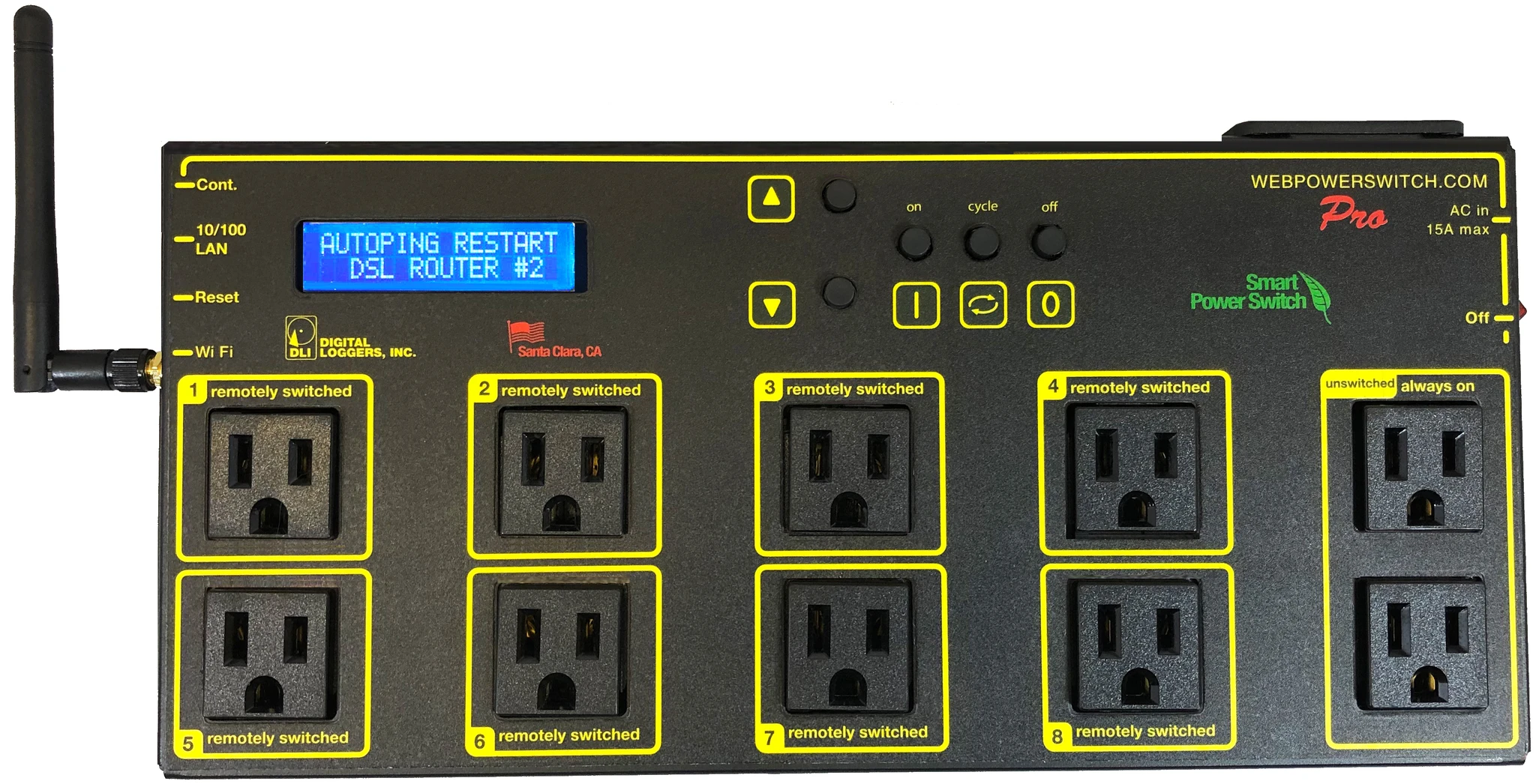
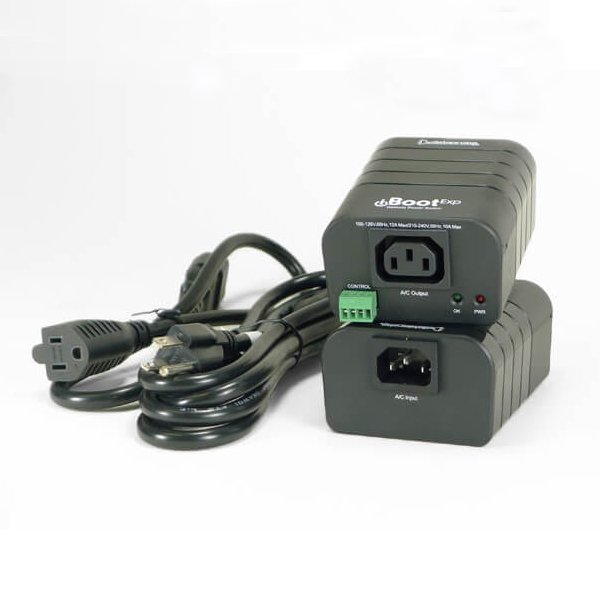
LVM-I selected two models for NPS. In the LVM-I SCP, we decide to use “web power switch pro” by digital loggers(dli) for NPS. More details can be found through dli In the LVM-I TCP, we’re using iboot web power switch in dataprobe Co.(iboot). More details can be found through iboot We updated switch moduel for the nps control library applicable to both models. The powerswitch class is created for the basic modules of dli and iboot and used in the actor command.
DLI#
The Digital Loggers provides a library made to control the power switch for the above models. Based on this module, the KHU team redefines and asynchronously changes the functions required for the command in SCP. This module plays a role in web crawling from the index web page that provides information about the power switch and controlling the power. For asynchronous web crawling, the asynchronous class provided by httpx was used instead of the default requests library. We also overridden the rest of the functions asynchronously. A new module for controlling power switch is defined as lvmpower.py.
iboot#
Start the actor#
Start lvmnps actor.
$ lvmnps start
In another terminal, type clu and lvmnps ping for test.
$ clu
lvmnps ping
     07:41:22.636 lvmnps >
     07:41:22.645 lvmnps : {
         "text": "Pong."
         }
Stop lvmnps actor.
$ lvmnps stop
Config file structure#
switches:
    name_your_switch_here:    # should be a unique name
        type: dummy           # currently dummy, iboot, dli
        num: 8                # number of ports
        ports:
          1:
            name: "skyw.pwi"  # should also be a unique name
            desc: "Something that make sense"
    should_be_a_unique_name:
        type: dummy
        ports:
          1:
            name: "skye.pwi"
            desc: "PlaneWavemount Skye"
Status return for all commands#
if ‘name’ is not defined then the port name will be ‘switch name’.’port number’ eg nps_dummy_1.port1 otherwise ‘name’ from the config file will be used.
STATE: 1: ON, 0: OFF, -1: UNKNOWN
"STATUS": {
 "nps_dummy_1.port1": {
     "STATE": -1,
     "DESCR": "was 1",
     "SWITCH": "nps_dummy_1",
     "PORT": 1
 },
Run the example lvmnps_dummy#
#> cd lvmnps
#> poetry run lvmnps -vvv -c $(pwd)/python/lvmnps/etc/lvmnps_dummy.yml start

#> poetry run clu
status command without parameter returns all ports of all switches.
the default is to return only configured ports, otherwise define ‘ouo’ false in the config file, see lvmnps_dummy.yml
lvmnps statu

12:02:08.649 lvmnps >
12:02:08.660 lvmnps i {
    "STATUS": {
        "nps\_dummy\_1.port1": {
            "STATE": -1,
            "DESCR": "was 1",
            "SWITCH": "nps\_dummy\_1",
            "PORT": 1
            },
         "skye.what.ever": {
             "STATE": -1,
             "DESCR": "whatever is connected to skye",
             "SWITCH": "nps\_dummy\_1",
             "PORT": 2
             },
         "skyw.what.ever": {
             "STATE": -1,
             "DESCR": "Something @ skyw",
             "SWITCH": "nps\_dummy\_1",
             "PORT": 4
             },
         "skye.pwi": {
             "STATE":-1,
             "DESCR": "PlaneWavemount Skye",
             "SWITCH": "skye.nps",
             "PORT": 1
             },
         "skyw.pwi": {
             "STATE": -1,
             "DESCR": "PlaneWavemount Skyw",
             "SWITCH": "nps\_dummy\_3",
             "PORT": 1
             }
        }
    }
status command with port name skyw.what.ever
lvmnps status what skyw.what.ever

12:07:12.349 lvmnps >
12:07:12.377 lvmnps i {
    "STATUS": {
        "skyw.what.ever": {
            "STATE": -1,
            "DESCR": "Something @ skyw",
            "SWITCH": "nps\_dummy\_1",
            "PORT": 4
            }
status command with switch name nps_dummy_1
lvmnps status what nps\_dummy\_1

12:07:12.349 lvmnps >
12:12:21.349 lvmnps i {
    "STATUS": {
        "nps\_dummy\_1.port1": {
            "STATE": -1,
            "DESCR": "was 1",
            "SWITCH": "nps\_dummy\_1",
            "PORT": 1
            },
        "skye.what.ever": {
            "STATE": -1,
            "DESCR": "whatever is connected to skye",
            "SWITCH": "nps\_dummy\_1",
            "PORT": 2
            },
        "skyw.what.ever": {
            "STATE": -1,
            "DESCR": "Something @ skyw",
            "SWITCH": "nps\_dummy\_1",
            "PORT": 4
            }
        }
    }
status command with switch name nps_dummy_1 and port 4 returns
lvmnps status what nps\_dummy\_1 4

12:07:12.349 lvmnps >
12:12:21.349 lvmnps i {
    "STATUS": {
        "skyw.what.ever": {
            "STATE": -1,
            "DESCR": "Something @ skyw",
            "SWITCH": "nps\_dummy\_1",
            "PORT": 4
            }
        }
    }
the commands on and off use the same addressing scheme as status